
Patient access programs succeed or fail on operations: how cleanly you capture identity, consent, enrollment status, education delivery, and follow-up support across channels. For US pharma brand teams, omnichannel leads, and commercial/marketing ops owners, the hard part is not “having a CRM.” It is ensuring the patient enrollment workflow, consent management, and outreach measurement work end-to-end without creating compliance or reporting gaps.
This article breaks down a practical, data-forward checklist for patient access CRM design: a support program data model, the enrollment-to-education workflow, and the operational controls needed for opt-in patient communications and patient journey orchestration. You will also get a short “what to do next” plan you can hand to CRM, data, and agency partners.
What patient access + CRM operations really includes
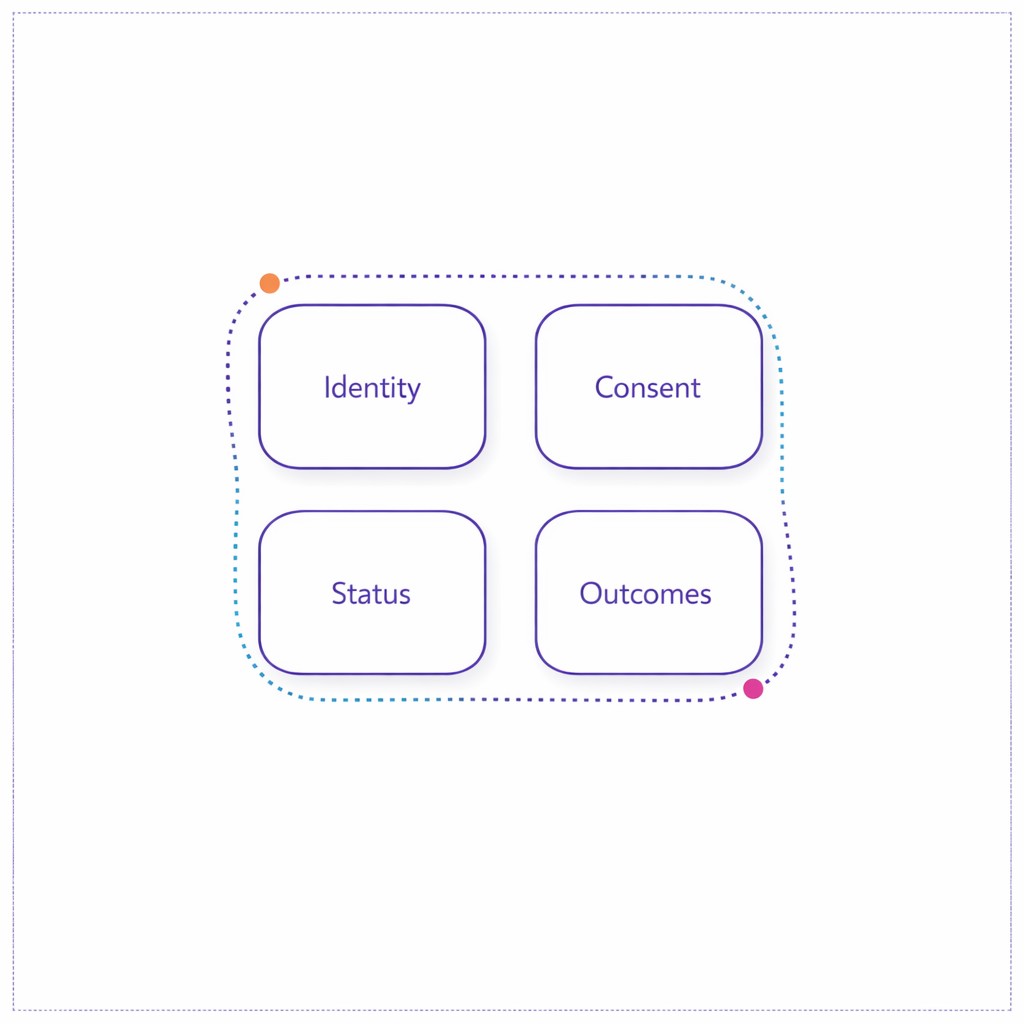
“Patient access CRM” typically spans more than campaigns. It includes enrollment intake (digital, call center, field, hub), eligibility and status tracking, patient education program delivery, case management, and ongoing adherence support across omnichannel patient engagement touchpoints.
Operationally, the goal is simple: every patient interaction should map to a known person (identity), a known permission set (consent), a known program status (where they are in the journey), and a measurable outcome (what changed). The complexity comes from making those four things consistent across teams, vendors, and systems.
What changed and what’s new to account for in 2026 planning
If your program touches substance use disorder (SUD) treatment records, 2026 planning should reflect the HHS final rule updating 42 CFR Part 2 (including alignment concepts with HIPAA and a defined compliance timeline). Even when Part 2 is not in scope, the practical takeaway is that data classification, access controls, and downstream sharing rules need to be explicit in your data model, not handled ad hoc.
At the same time, patient outreach expectations keep rising. If you use SMS or automated dialing for patient outreach best practices, your workflow needs a durable consent record aligned to FCC guidance on robocalls and robotexts under the TCPA, including opt-out handling and proof of permission by channel.
Finally, more programs are digitizing enrollment and consent. Where electronic records and signatures are treated as regulated records, teams often map controls to FDA’s 21 CFR Part 11 requirements for electronic records and electronic signatures (for example, audit trails and signature controls), even when the exact applicability depends on your specific use case and validation approach.
The patient support program data model checklist (what you must be able to store)
Strong healthcare CRM workflow design starts with a clear program data model. The goal is not “collect everything.” The goal is to store the minimum set of fields that allow enrollment, education, and ongoing support to run consistently, while supporting compliance and measurement.
1) Identity and relationship structure
- Patient master identity: a stable internal person ID with source IDs (web form, hub, CRM, analytics) to reduce duplicates and enable longitudinal measurement.
- Household/caregiver relationships: caregiver roles, preferred contact, and delegated communication permissions when applicable.
- HCP and site of care linkages: prescriber/NPI association and practice identifiers (stored as references, not as free-text).
2) Program and product context
- Program enrollment object: created date, channel of intake, current status, sub-status reason codes, and “next required action.”
- Brand/therapy context: product, indication, line of business, and program variant (starter, bridge, copay, education-only).
- Service eligibility flags: what the patient is eligible for and what they have accepted (distinct from what you offered).
3) Consent and permissions (channel-specific)
Your consent framework should reflect healthcare privacy rules and marketing rules. Under the HIPAA Privacy Rule, the operational question is often whether the communication is treatment/operations versus marketing, and what authorizations are required.
- Consent event log: who consented, when, where, how (web, phone, paper), what language/version, and what was consented to.
- Channel permissions: distinct opt-in/opt-out states for SMS, email, phone, and mail, plus timestamps and capture source.
- HIPAA authorization artifacts (when needed): structured representation of authorization scope aligned to 45 CFR 164.508 requirements for HIPAA authorizations.
4) Education, engagement, and support records
- Education plan: assigned topics and cadence (for example: medication adherence education, diabetic diet education, fall prevention education for patients, cancer health education).
- Content delivery events: what was sent/shown, by which channel, and whether it was opened, completed, or escalated.
- Teach-back documentation (where applicable): whether a nurse navigator or educator used a “teach back method in nursing” style confirmation and the outcome (understood, needs follow-up, escalated).
- Case/ticket object: reason codes, severity, outreach attempts, resolution, and handoffs between vendors or teams.
5) Measurement-ready fields (so reporting is not a spreadsheet exercise)
- Journey milestones: time-to-first-contact, time-to-complete enrollment, time-to-first-education touch, time-to-first-support resolution.
- Attribution and source: referral source, campaign/source parameters, and HCP/channel influence markers that do not depend on a single platform.
- Data quality flags: “contactable,” “permissioned,” “identity confidence,” and “do-not-contact reason.”
Enrollment workflow checklist (from first touch to “ready for education”)
A resilient patient enrollment workflow is designed to handle drop-off, missing information, and channel switching. The checklist below focuses on operational steps you can implement whether intake starts from a brand site, a hub, or an HCP referral.
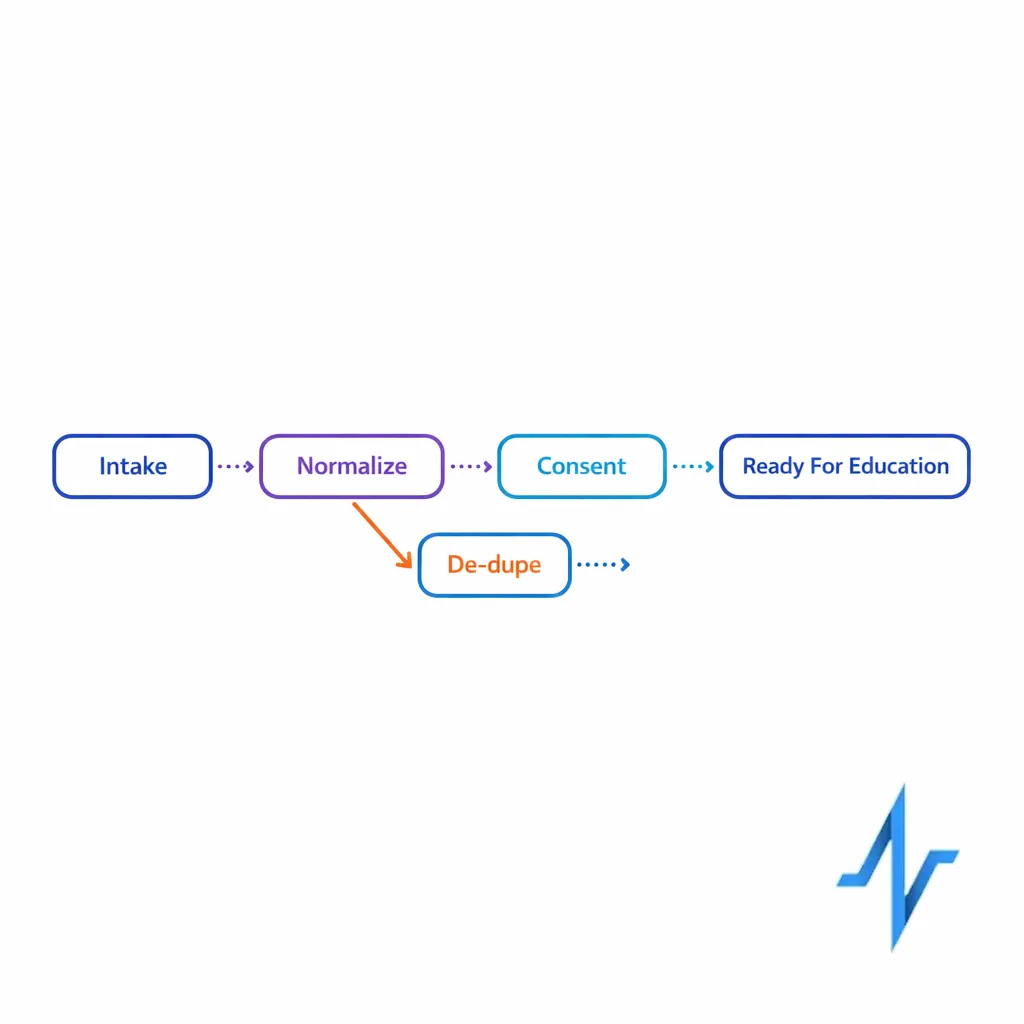
Step 1: Intake capture with immediate normalization
- Normalize: name, DOB (if collected), address, phone, email, and preferred channel into standardized formats.
- De-duplicate: match to existing patients using deterministic and probabilistic logic, then assign a stable person ID.
- Record provenance: store intake source and timestamp so you can resolve disputes and troubleshoot funnel performance.
Step 2: Consent capture that is defensible later
- Capture “what the patient agreed to,” not just a checkbox: versioned language, program scope, and channel permissions.
- Separate required vs optional permissions: do not bundle SMS marketing with required service communications.
- Store proof: the artifact (call recording reference, web form submission ID, or signed document reference) tied to the consent event.
Step 3: Enrollment status and next-best action routing
- Status model: a small, consistent set of statuses (for example: Started, In Review, Missing Info, Approved, Active, Inactive, Closed) with reason codes.
- Routing rules: if missing info, trigger a follow-up task; if consent missing for a channel, route to an alternate channel rather than forcing drop-off.
- Handoff control: define when the record becomes “system of record” vs “system of engagement” to avoid conflicting updates.
Education + ongoing support workflow checklist (how to keep patients engaged after enrollment)
Once a patient is enrolled, the operational problem shifts from “can we reach them?” to “can we support them predictably without over-contacting?” For patient engagement operations, this means a rules-driven journey that can personalize education, monitor engagement, and escalate to live support.
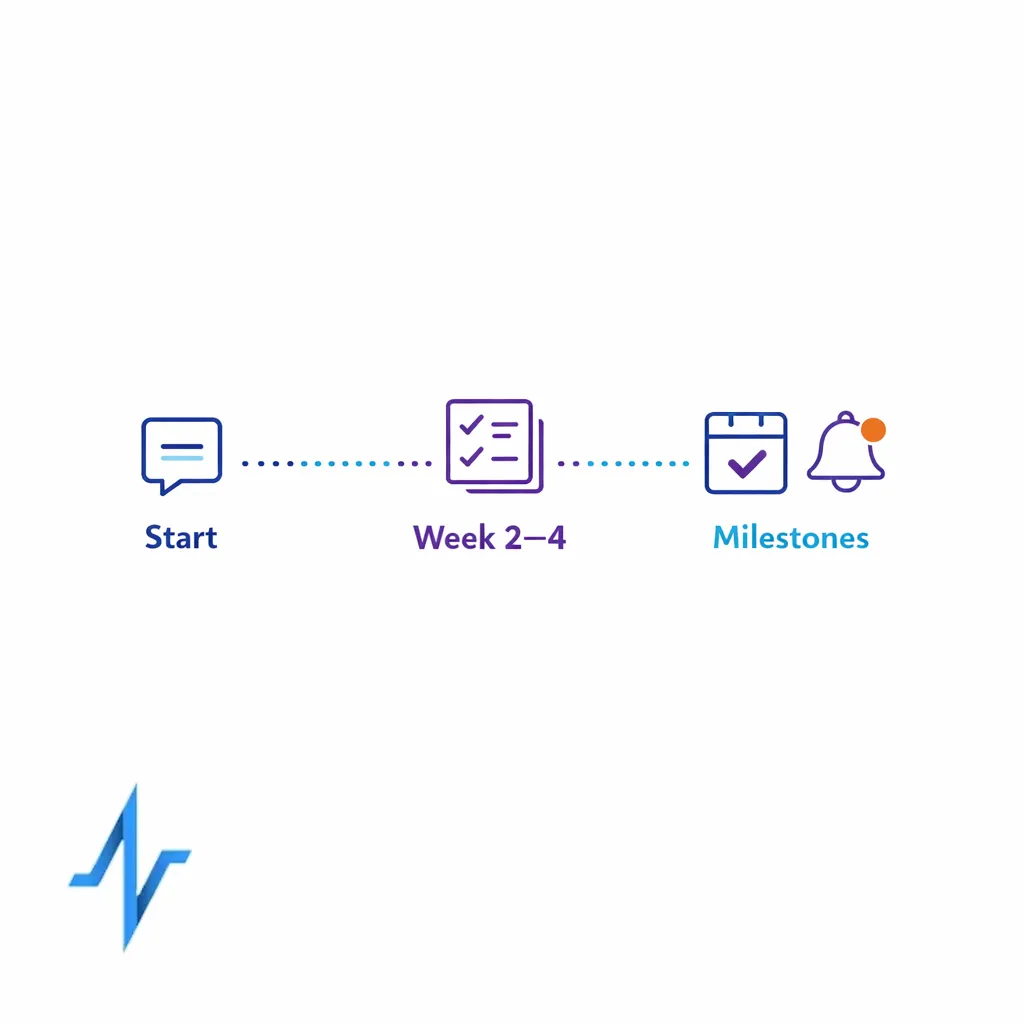
Step 1: Build an education plan that maps to patient moments
- Start-of-therapy: expectations, dosing basics, side effects, and how to get help.
- Week 2–4: adherence nudges, troubleshooting, and reinforcement of key instructions.
- Milestones: refill reminders (where appropriate), appointment prompts, and “check-in” education.
If your brand supports chronic conditions, ensure your library covers common patient questions. For example, diabetes education programs often include a sequence aligned to CDC guidance on Diabetes Self-Management Education and Support (DSMES), such as nutrition basics, monitoring, and problem solving, adapted to your program’s scope.
Step 2: Orchestrate omnichannel touches with clear guardrails
- Channel selection: choose SMS, email, phone, or mail based on explicit permission and patient preference, not just response rate.
- Frequency caps: set maximum touches per week and quiet hours to avoid fatigue and complaints.
- Escalation triggers: no response after N attempts, repeated confusion, or high-risk questions should create a live support task.
Step 3: Make “support” measurable and serviceable
- Case taxonomy: define support categories (access barriers, onboarding questions, adherence issues, education clarification).
- Service level expectations: internal targets for first response and resolution time, tracked consistently.
- Outcome logging: what changed after support (enrollment completed, education completed, patient referred, patient opted out).
Consent management in healthcare marketing: practical rules to operationalize
Consent management healthcare marketing fails when teams treat “consent” as a single field. In reality, you must manage (1) healthcare privacy permissions, (2) channel-specific marketing permissions, and (3) operational/service communications that may be necessary even when marketing is not allowed.
HIPAA: separate “marketing” from permitted communications
Many patient program communications can be structured as service or education interactions, but marketing use cases can require explicit authorization. The safest operational approach is to design your data model so that messages that require authorization are only eligible when the record contains a valid authorization aligned to HIPAA authorization requirements in 45 CFR 164.508.
Even when HIPAA authorization is not required for a specific touch, programs still need privacy-aware access controls and minimum necessary handling consistent with the HIPAA Privacy Rule framework. Practically, that means role-based access, vendor scoping, and careful use of sensitive fields in downstream tools.
SMS and calls: design for provable opt-in and easy opt-out
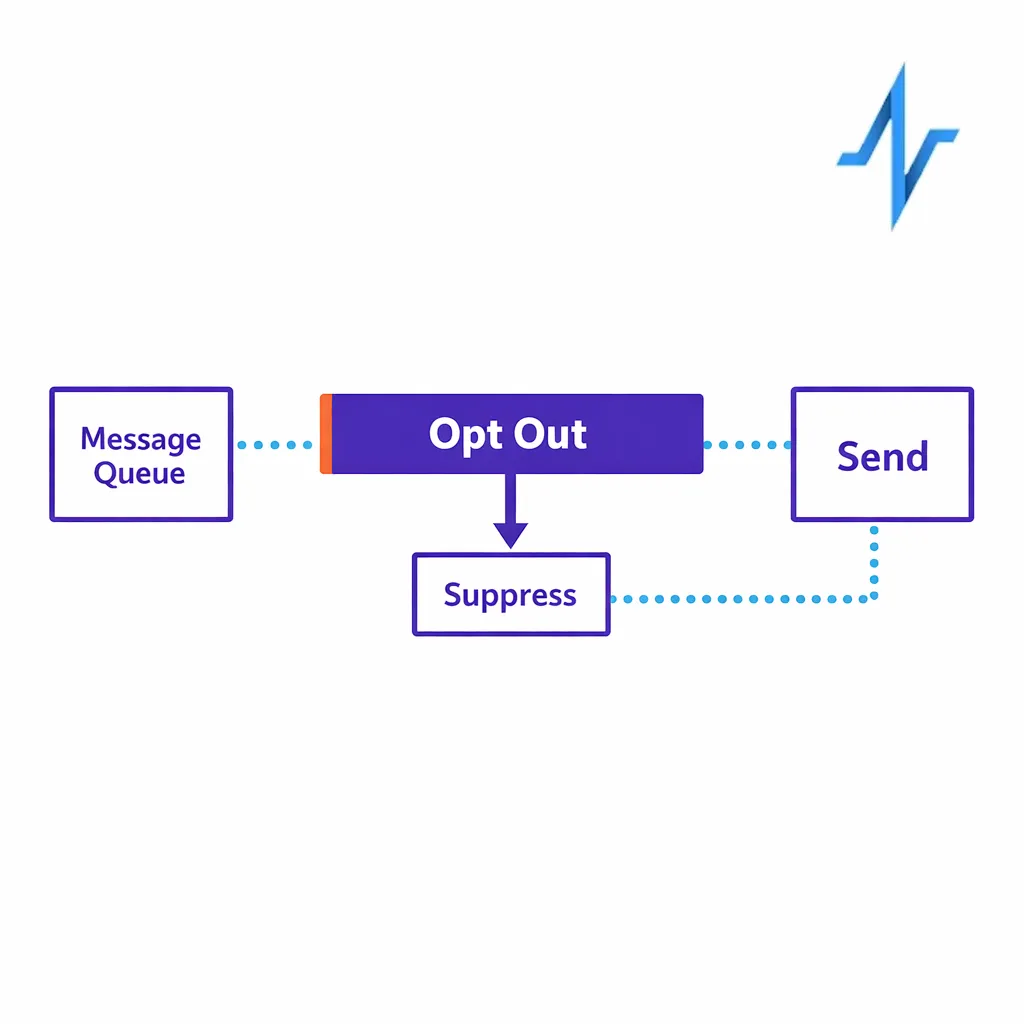
If you use texting for reminders, education, or outreach, align your operational controls with FCC TCPA consumer guidance on robotexts and robocalls, including how you capture consent, store proof, and honor opt-outs quickly. From a workflow perspective, opt-out should be an event that updates permission state immediately and prevents future sends, even if a patient remains enrolled.
Email: treat compliance as a workflow, not a footer
If you send commercial email as part of patient outreach best practices, your CRM workflow should support unsubscribe management and sender identification consistent with FTC guidance on CAN-SPAM compliance. Operationally, that means storing subscription state, suppressing sends, and keeping a record of when opt-out was received and applied.
Workflow + data controls that make orchestration and reporting reliable
Patient journey orchestration is only as strong as your event model. If you cannot represent “what happened” in structured events (enrolled, consented, message delivered, education completed, support case closed), you will end up with brittle reporting and inconsistent patient experiences across vendors.
Controls to implement early (before scaling channels)
- Event logging standard: a consistent schema for all interactions, regardless of channel, so analytics is not platform-dependent.
- Audit trail mindset: for critical changes (consent, identity merges, status changes), capture who/what system made the change and when; if your program treats these as regulated records, map controls to 21 CFR Part 11 concepts such as audit trails.
- Suppression logic: hard rules for do-not-contact states, channel opt-outs, and sensitive categories, applied before any send.
- Vendor handoff contracts: define which system owns the “current truth” for status, consent, and contact preferences to prevent conflicting updates.
Operational KPIs that map to real outcomes
- Enrollment conversion: started-to-complete rate by channel and by missing-info reason.
- Time-to-milestone: time to first contact, time to enrollment completion, time to first education completion.
- Education effectiveness: completion rate by module and follow-up rate after teach-back confirmation.
- Support efficiency: case volume per 1,000 enrolled, first response time, and resolution time by category.
- Permission health: opt-in rate by channel, opt-out rate over time, and suppression accuracy (zero sends to opted-out records).
Common mistakes and misconceptions (and how to avoid them)
Mistake 1: Treating consent as a one-time checkbox
In practice, consent is a set of events over time: opt-in, opt-out, re-opt-in, language updates, and scope changes. If you store only a single “true/false” field, you cannot prove what a patient agreed to, and you cannot reliably orchestrate opt-in patient communications across vendors.
Mistake 2: Mixing “education” and “promotion” without a permission gate
Teams often assume that because a program is helpful, it is automatically permitted. Instead, create a message taxonomy and enforce eligibility rules so that communications that require authorization only send when the record meets HIPAA authorization criteria, while service messages are clearly separated and logged.
Mistake 3: Building omnichannel journeys without suppressions and frequency caps
Over-contacting patients increases opt-outs and complaints, especially for SMS where consumers have strong expectations reflected in TCPA-related guidance. Put frequency caps, quiet hours, and immediate opt-out suppression into the workflow before you expand channels.
Mistake 4: Letting reporting drive the data model (instead of the patient journey)
If you design your CRM solely around “what the dashboard needs,” you will miss key operational states like missing info reasons, support escalations, and education completion. Design the patient support program data model around the real workflow first, then map metrics to those events.
What to do next: a scannable implementation checklist
Use this as a working plan for brand, ops, CRM, data, and agency teams. The goal is to get to a usable minimum viable workflow quickly, then harden governance and measurement as you scale.
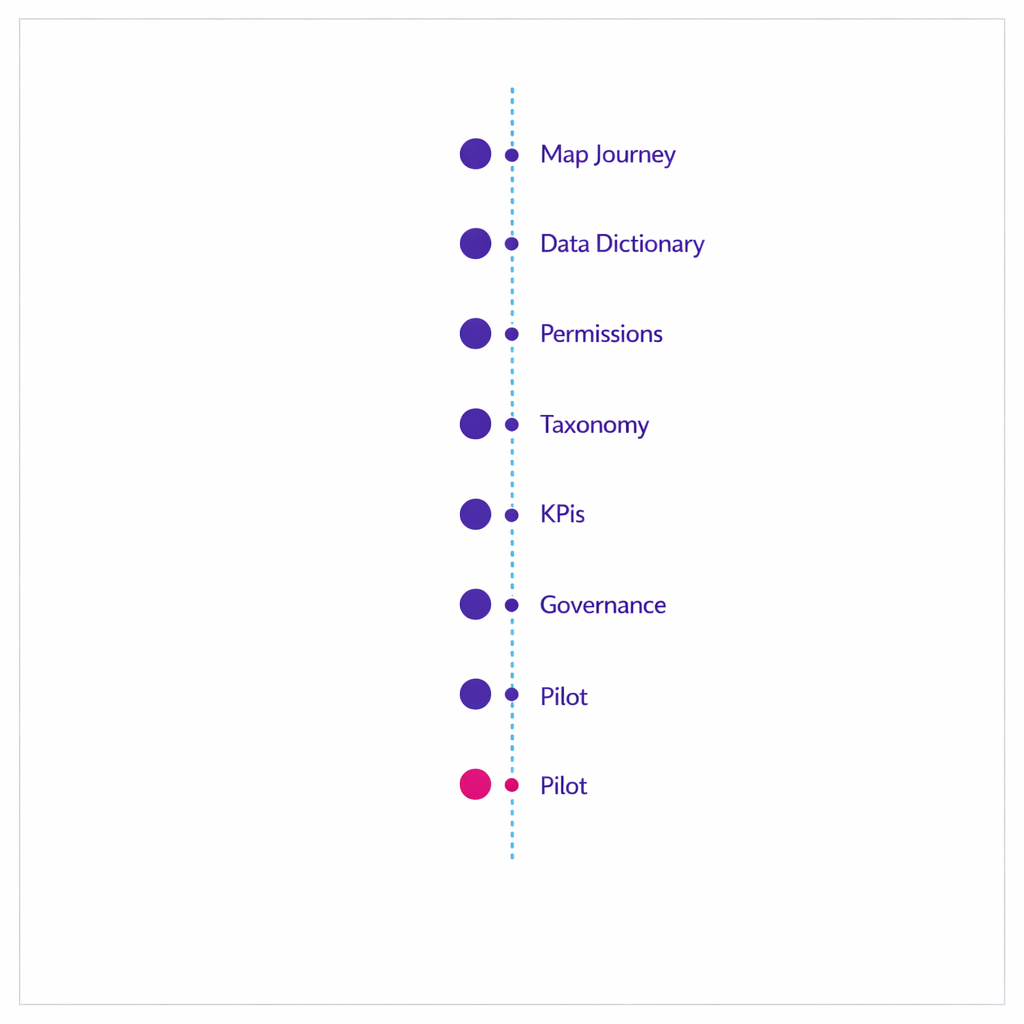
- Map the journey: document enrollment, education, and ongoing support states, including exceptions (missing info, unreachable, opt-out, escalation).
- Define the data dictionary: list the minimum fields and controlled vocabularies for identity, status, consent, and engagement events.
- Implement channel-specific permissions: store separate opt-in/opt-out for SMS, email, phone, and mail; design opt-out as an immediate suppression event.
- Build a message taxonomy: label each touch as service/education vs marketing and enforce rules aligned to HIPAA privacy expectations and your authorization policy.
- Set operational KPIs: choose 6–10 metrics tied to milestones (conversion, time-to-complete, education completion, support resolution, permission health).
- Harden governance: define system-of-record ownership, vendor handoffs, audit trail requirements, and data retention practices.
- Pilot, then scale: start with one brand/program variant, validate the workflow end-to-end, then expand to additional segments and channels.
Request a Demo to operationalize patient access + CRM workflows
If you are building or re-platforming patient access CRM operations, Pulse Health can help you turn enrollment, education, and ongoing support into a measurable, orchestrated workflow with permissions and reporting designed in from day one. You can Request a Demo to walk through a real-world workflow, or use the session to pressure-test your data model, consent strategy, and omnichannel orchestration plan.
If you are evaluating partners, ask to see how they handle consent events, opt-out suppression, identity resolution, and cross-vendor event logging. You can also ask to Explore Integrations, See How It Works, or Get the Platform Overview during your demo discussion.